Legacy Knowledge Base
Published Jun. 30, 2025

How to hide 'Content Performance' icon for every user

Written By

Kanchan Bisht

How To articles are not official guidelines or officially supported documentation. They are community-contributed content and may not always reflect the latest updates to Liferay DXP. We welcome your feedback to improve How To articles!

While we make every effort to ensure this Knowledge Base is accurate, it may not always reflect the most recent updates or official guidelines.We appreciate your understanding and encourage you to reach out with any feedback or concerns.

Legacy Article

You are viewing an article from our legacy "FastTrack" publication program, made available for informational purposes. Articles in this program were published without a requirement for independent editing or verification and are provided"as is" without guarantee.

Before using any information from this article, independently verify its suitability for your situation and project.

Issue

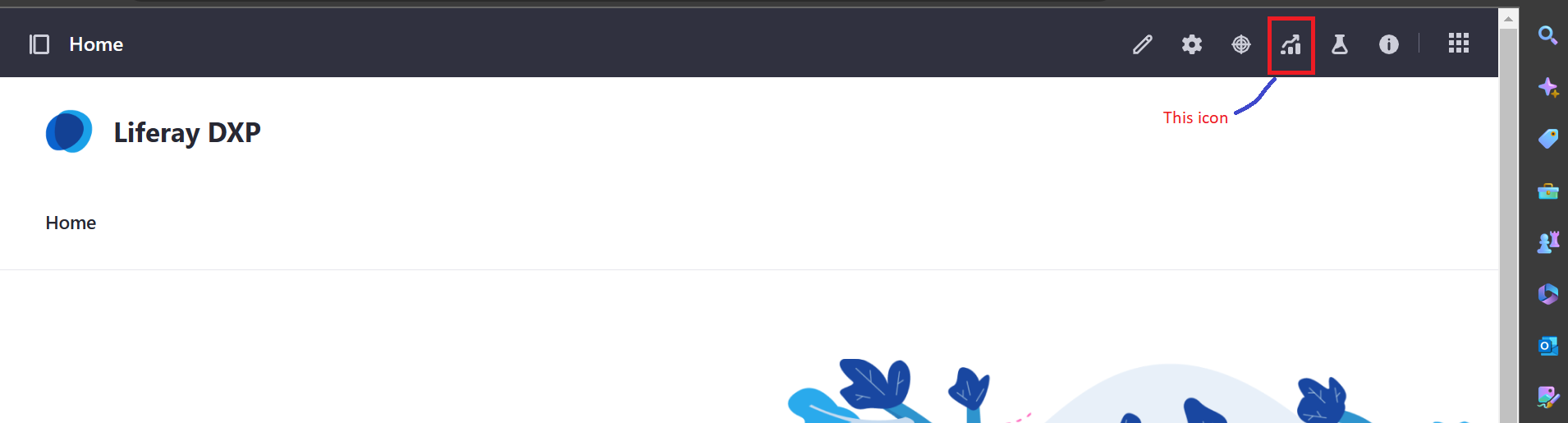
  • The 'Content Performance' icon should be hidden for all default users with 'Administrator' or 'Content' roles. icon__1_.png
Environment

  • Liferay DXP 7.4

Resolution

  • Navigate to Control Panel> System Settings> System Scope> Bundle Blacklist> Module container> Blacklist Bundle Symbolic Names> fill com.liferay.analytics.reports.apiand click save.

Additional Information

  • To avoid runtime issues in the production environment, always perform such actions in a lower environment first.
  • Please be aware that the mentioned step will be discontinued for the following services, therefore, if users are not currently using any analytics reports feature, they can perform this action.
    INFO [CM Event Dispatcher (Fire ConfigurationEvent: pid=com.liferay.portal.bundle.blacklist.internal.configuration.BundleBlacklistConfiguration)][BundleBlacklist:189] Stopping blacklisted bundle com.liferay.analytics.reports.api2.0.4 [600]
    INFO [CM Event Dispatcher (Fire ConfigurationEvent: pid=com.liferay.portal.bundle.blacklist.internal.configuration.BundleBlacklistConfiguration)][BundleStartStopLogger:49] STOPPED com.liferay.analytics.reports.api2.0.4 [600]
    INFO [Refresh Thread: Equinox Container: 1759581a-ab6c-48bc-8dab-62ce22a38c0e][BundleStartStopLogger:49] STOPPED com.liferay.analytics.reports.web2.0.43 [614]
    INFO [Refresh Thread: Equinox Container: 1759581a-ab6c-48bc-8dab-62ce22a38c0e][BundleStartStopLogger:49] STOPPED com.liferay.analytics.reports.layout.impl1.0.9 [613]
    INFO [Refresh Thread: Equinox Container: 1759581a-ab6c-48bc-8dab-62ce22a38c0e][BundleStartStopLogger:49] STOPPED com.liferay.analytics.reports.layout.display.page.impl1.0.10 [612]
    INFO [Refresh Thread: Equinox Container: 1759581a-ab6c-48bc-8dab-62ce22a38c0e][BundleStartStopLogger:49] STOPPED com.liferay.analytics.reports.journal.impl2.0.7 [611]
    INFO [Refresh Thread: Equinox Container: 1759581a-ab6c-48bc-8dab-62ce22a38c0e][BundleStartStopLogger:49] STOPPED com.liferay.analytics.reports.impl2.0.5 [610]
    INFO [Refresh Thread: Equinox Container: 1759581a-ab6c-48bc-8dab-62ce22a38c0e][BundleStartStopLogger:49] STOPPED com.liferay.analytics.reports.document.library.impl1.0.6 [609]
    INFO [Refresh Thread: Equinox Container: 1759581a-ab6c-48bc-8dab-62ce22a38c0e][BundleStartStopLogger:49] STOPPED com.liferay.analytics.reports.blogs.impl1.0.1 [608]
    INFO [Refresh Thread: Equinox Container: 1759581a-ab6c-48bc-8dab-62ce22a38c0e][BundleStartStopLogger:49] STOPPED com.liferay.analytics.reports.layout.display.page.api1.0.6 [601]
Did this article resolve your issue ?

Legacy Knowledge Base