Restriction of file upload size for a Site

written-by
Prarthana Jadhav
How To articles are not official guidelines or officially supported documentation. They are community-contributed content and may not always reflect the latest updates to Liferay DXP. We welcome your feedback to improve How To articles!
While we make every effort to ensure this Knowledge Base is accurate, it may not always reflect the most recent updates or official guidelines.We appreciate your understanding and encourage you to reach out with any feedback or concerns.
legacy-article
learn-legacy-article-disclaimer-text
Issue
-
Can we set the upload size limit for a Site instead of the complete portal? For example,
- Can we set the file upload size limit to 20 MB or more on a site while setting 10MB for portal wide?
Environment
- Liferay Portal 6.2
- Liferay DXP 7.0, 7.1, 7.2, 7.3, 7.4
- Quarterly Releases
Resolution
-
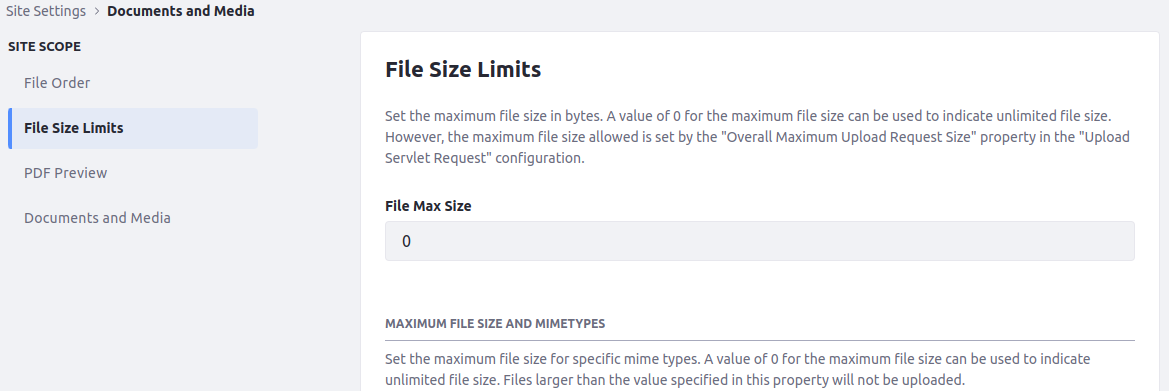
In Quarterly Releases and 7.4, a new configuration have been added, allowing to modify the custom size limit through the Control Panel for any scope:
- System and Instance scopes: Control Panel →System or Instance Settings →Documents and Media→File Size Limits
- Site Scope: Site Settings →Documents and Media →File Size Limits
-
For 7.3 and below, the upload size can be set at the portal level and not at the site level, as default upload size is portal scoped and not site scoped.
-
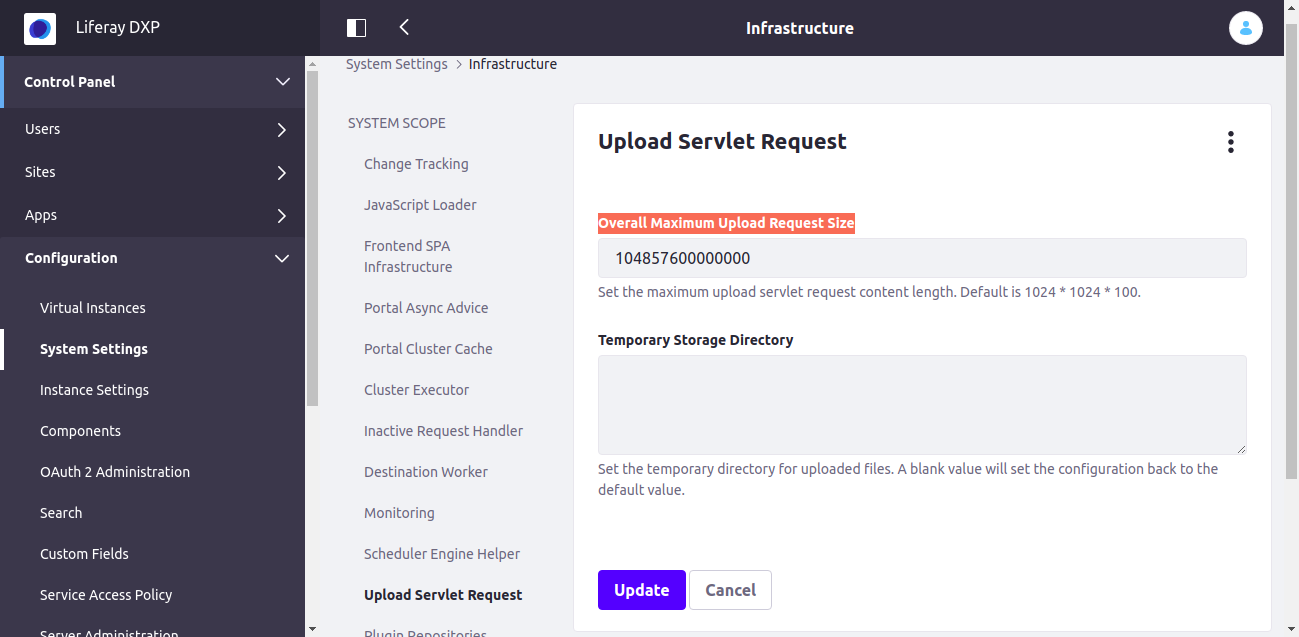
For Liferay DXP 7.1 and up, the portal-level Upload Servlet Request Size is set from below path,
-
Go to Control Panel→ Configuration→ System Settings→Infrastructure→Upload Servlet Request. (Please refer the below image for the same)
did-this-article-resolve-your-issue